Amenity
Info
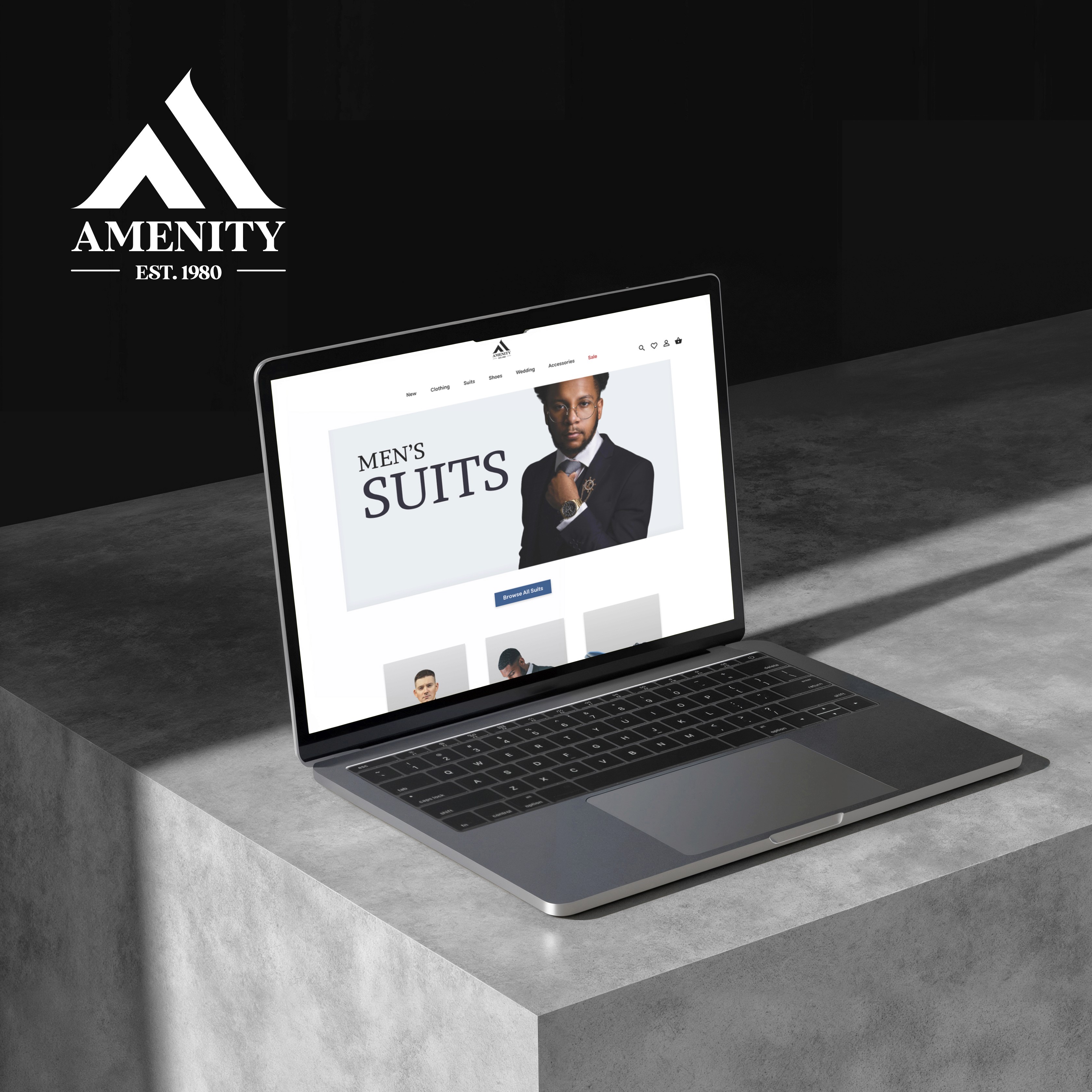
This is a personal case study where I designed an original fashion brand identity with its own website, which is for high quality clothing for men. The outcome of the project was to create a design for an e-commerce website for the brand which I called Amenity.
IDEATION
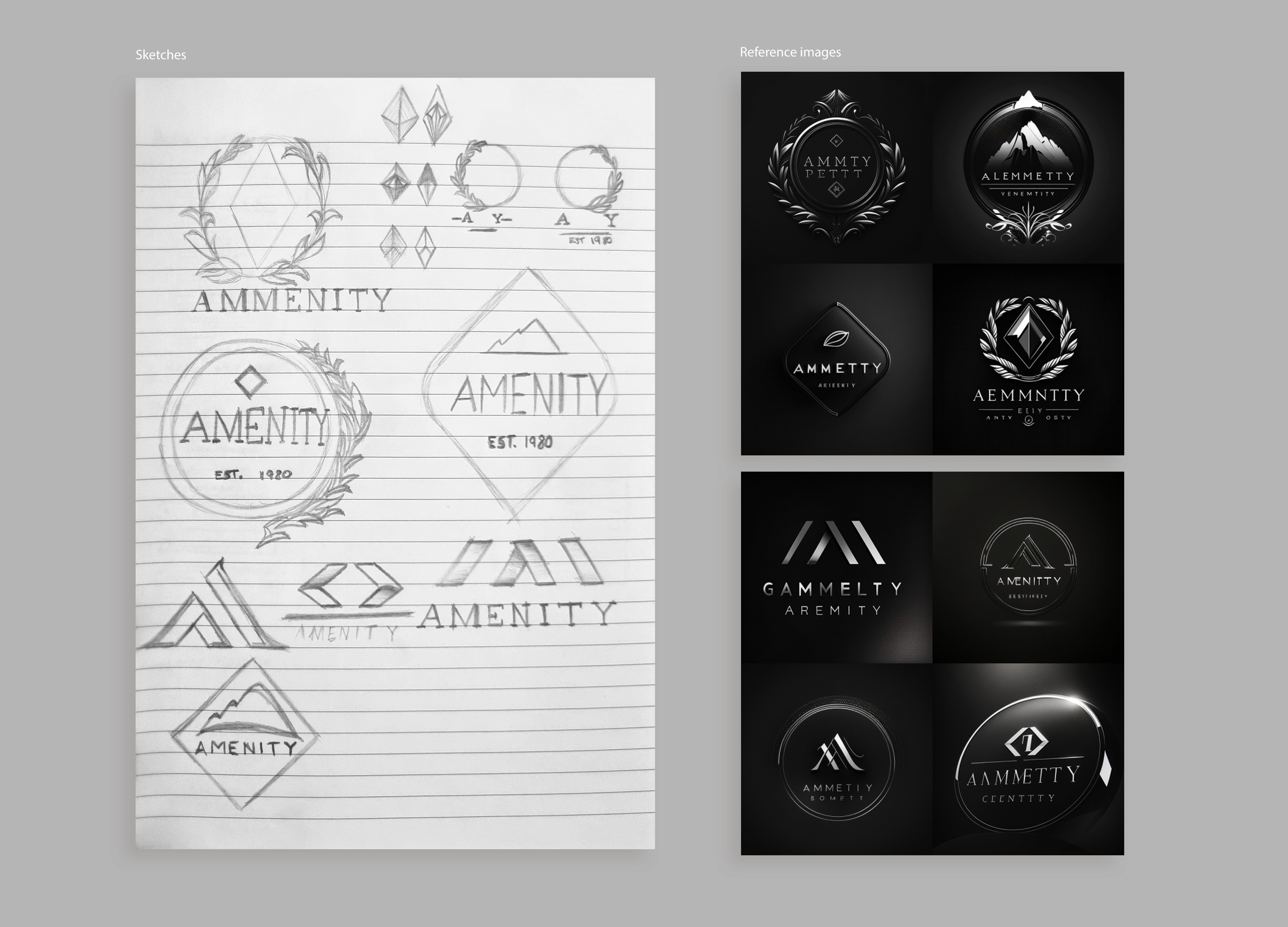
I started off the project with the brand identity and made some sketches and ideas for the logo, which I got from looking at some reference images based on well-known brands I had researched for men’s high quality fashion. For example, Moss bros., Mr Porter and Burton. I also was able to utilise AI as a tool to help me see what additional ideas I could create based on the brand I was trying to establish.
FINAL LOGO
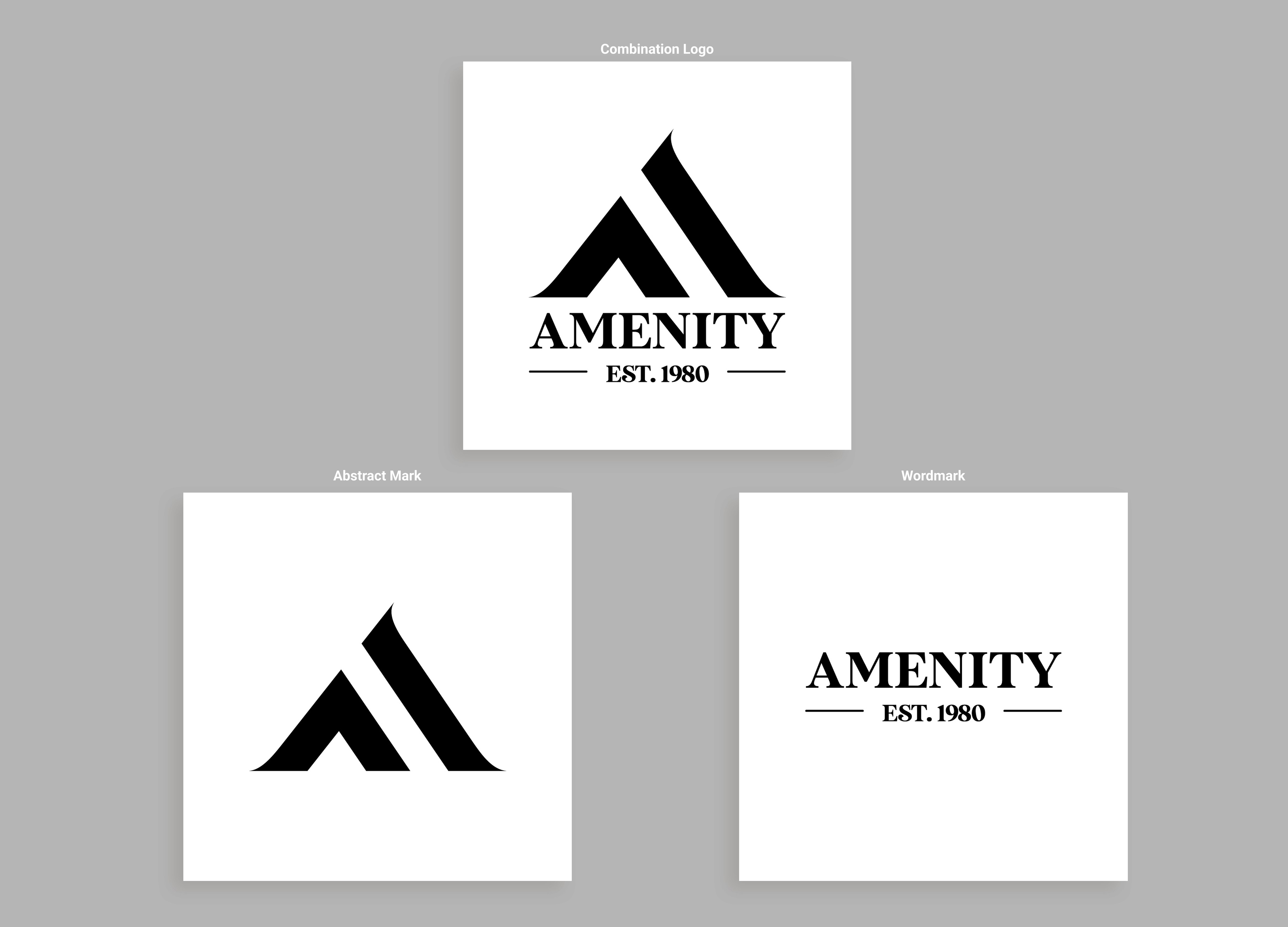
From my initial concept sketches, I really thought one of the abstract designs would work well as an abstract/ letter mark type of logo, keeping it quite simple in a bold black and white colour scheme. Then I also found a bold but modern type of font which I thought fit the brand of Amenity that I added as part of the final logo, along with some lines to add to the old-fashion but modern feel (hence the est. 1980).
Main webpages
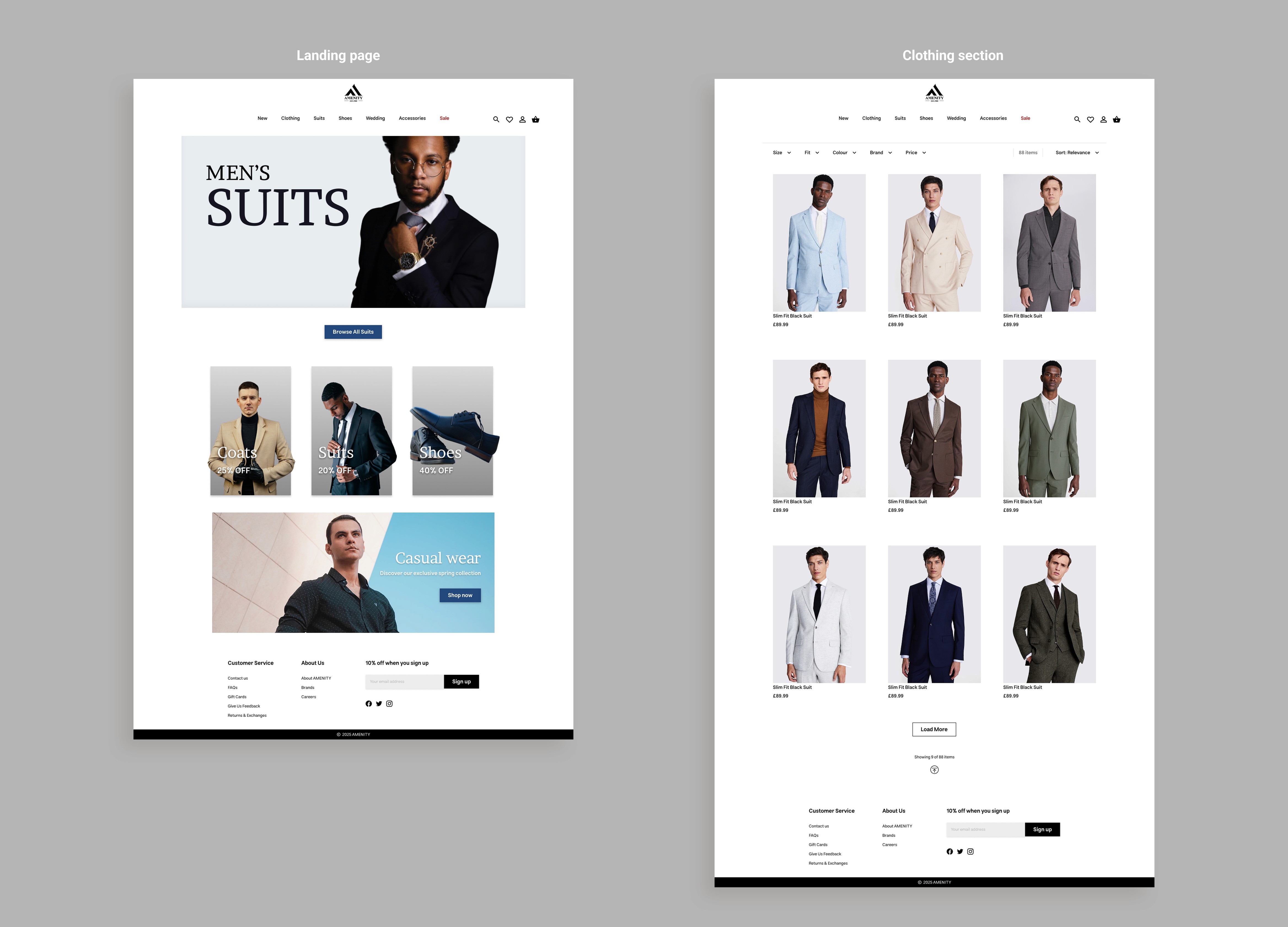
For the main webpages, I focussed on designing the pages that a user could go through as part of their experience on the e-commerce site when looking for a specific item of clothing. So, I set out to make a landing page, which highlights the main attraction as part of the brand (that being men’s suits), and a clothing section page for the suits. I wanted to keep the overall site quite minimalistic and for the images to stand out and be bold for users to gravitate towards for their intended clothing item. To help with this, I made use of the white space to separate sections on both webpages, and also to align the images in an organized layout.

Live Chat Support feature
This is a typical feature of an e-commerce website, so I thought I could include a design of what the live chat support feature could look like if a user needed the assistance. I used a symbol of a chat box as the icon for the button, which I thought would work really well as it's a universal symbol. Then, I made the chat interface very simple and easy to follow, having the section to view messages from the support team, a space for users to send messages, and the exit button to close the chat feature.
Item and shopping cart pages
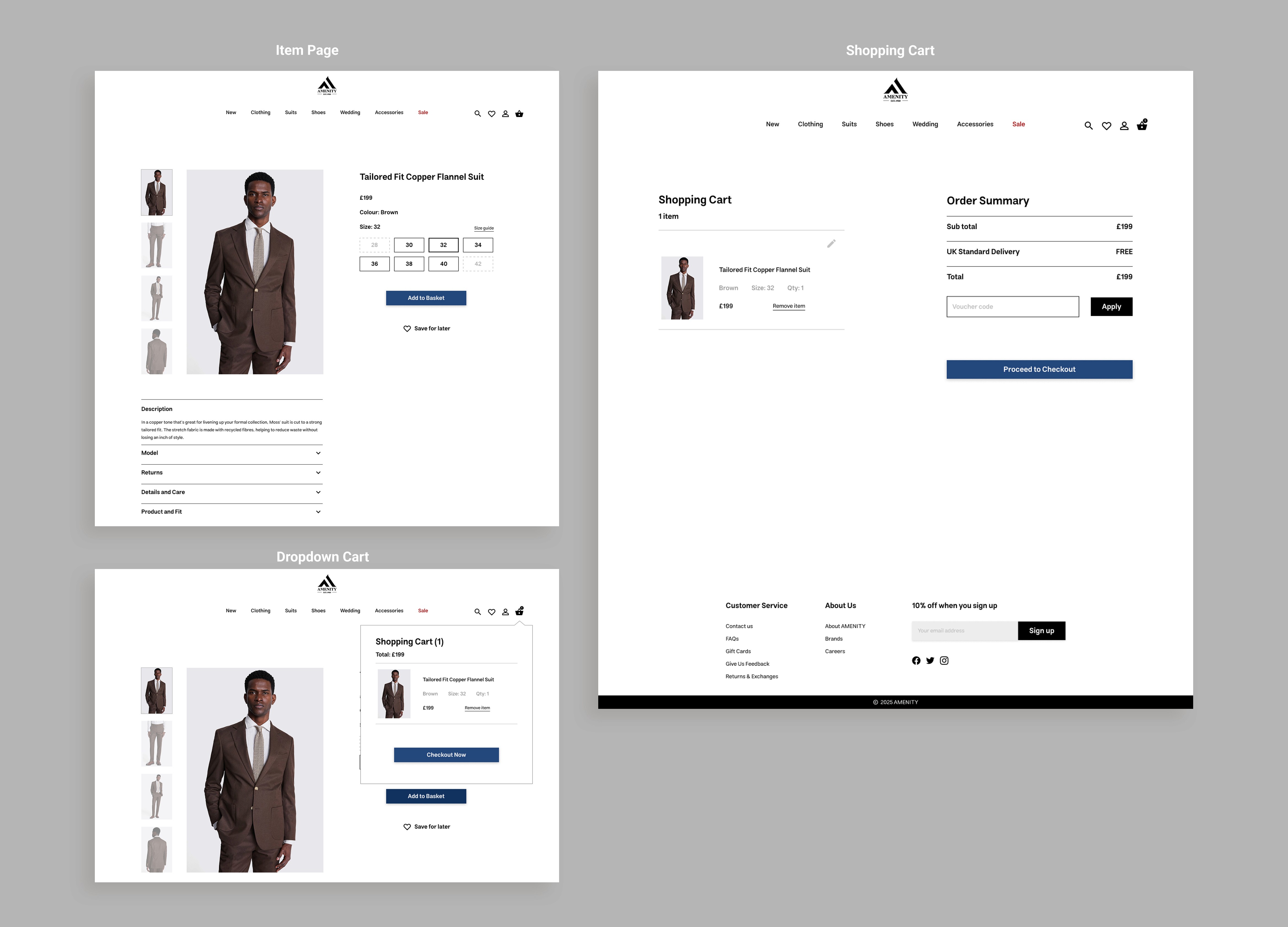
I created the item page to be quite neatly organized and minimalistic based on researching a range of e-commerce sites for men’s clothing, which seemed to have a lot on their webpages. So, I went with a more compact design where users can easily find all the information they would require when considering an item they want to purchase, including product info, size (with a size guide option), the option to save it for later and the button to ‘Add to basket’. Then, I also wanted to add a drop-down box after users click on the button so that they could visually see a new item added to their cart, as well as changing the icon to include the number of items in the cart if they were to continue shopping. I also added a button within the drop-down feature that allows users to view the full shopping cart to see all the items in their cart, see the order summary, as well as remove any items they added, before going through the checkout process. Overall, I designed these pages to look neat and simplistic, showing only the most necessary information so that users are not overwhelmed with a lot of content on the webpages.
Checkout process
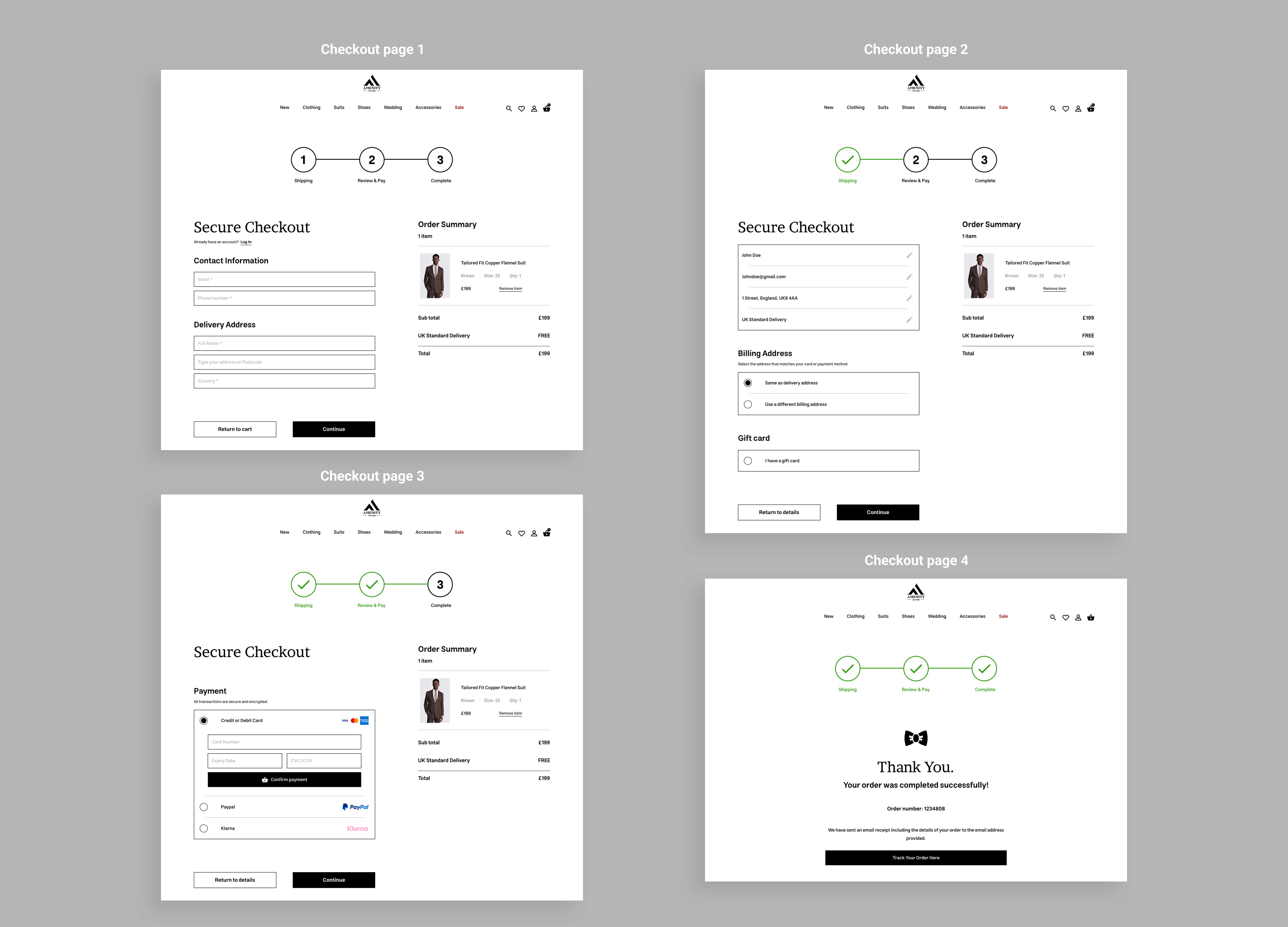
As the checkout process is one of the most important for an e-commerce site to have, I wanted to design it in a way that users can go through in the most efficient way that doesn’t make it seem like a chore to do. I split the process into 4 main webpages: basic contact information, billing address/gift card, card payment, and the completed checkout page. With the first page, I gave returning users the option to log in if they already have an account, and then for new users, it just requires their basic information for the delivery. For the second page, I designed buttons to be used so that users can edit any errors they see from what they entered into the previous page’s form, and then also gave them the option to use the same address information for their billing address instead of having them re-type information again, otherwise they can choose to type a different address if that is the case. For the third page, I simply just included the payment methods that users can choose from to pay for their item/s (between credit/debit card, PayPal and Klarna) and once the secure payment has been confirmed, they can continue to the last page. So, for the fourth and final page, users are thanked for using the service, given an order number which is also included in an email that is sent to the address they gave at the beginning of the checkout process, and a button is provided to track their order as well. To help users even further, they are able to see the order summary to the right side, which also gives them the opportunity to remove any items if they decide not to purchase one or more items in their original cart. I also thought the visual of the stages for the checkout process would also help users to see where they are in the 3-step process to complete their order.